CBS Sports Fantasy
3.215.88KReviews
Analysis ByAppCompare
I approached CBS Sports Fantasy as a practical sports-management app rather than something to open only on game day. Its main appeal is straightforward: it puts a fantasy league on a phone, where I can check my roster, follow the competition, and make decisions without sitting at a computer. That sounds simple, but the quality of the experience depends heavily on how quickly I can understand the screen, how comfortably I can tap through it, and whether I can use it when my attention is divided.
The app comes from CBS Interactive, Inc. and is available free of charge in the sports category. It is rated for Everyone, which makes it broadly approachable from an age-rating perspective, although fantasy sports still require a level of concentration and familiarity with league rules. Its average rating is 3.2 from around 51 thousand ratings, with roughly 16 thousand written reviews, and it has passed one million installs. Those figures suggest a sizable audience, but also a mixed experience that is worth considering before making it the center of a competitive league.
How clearly the fantasy experience comes across
The strongest part of the concept is the compact workflow. A fantasy manager generally wants to answer a few questions quickly: What is my lineup? Who is active? How am I doing? What decision needs attention? A mobile app is useful when it reduces the time between opening the screen and finding those answers. In my experience, that is the standard by which this app should be judged, not by whether it offers the same visual space as a desktop site.
The interface is easier to understand when I already know the structure of fantasy sports. Familiar terms such as roster, matchup, standings, and player information carry a lot of meaning for an experienced manager. Someone new to the format may need more time to understand how those areas relate to one another. The app can act as a control panel, but it is not automatically a teaching tool for every decision a beginner might face.
That distinction matters for readability. A screen can be technically legible while still being mentally crowded. Fantasy information often combines names, positions, team details, scores, status indicators, and action controls. When several of those appear together, I have to slow down and verify what I am selecting. This is particularly important before changing a lineup, because a quick tap is only helpful if I can clearly tell whether I am viewing a player, opening more details, or committing a change.
I found the most sensible approach was to use the app in two passes. First, I checked the overall matchup and identified the areas needing attention. Then I returned to the roster and handled individual decisions one at a time. This is less exciting than rapidly jumping between screens, but it reduces mistakes and makes the small display feel more manageable. It is a useful habit for anyone who finds dense sports interfaces tiring.
Navigation that works best with a routine
The app makes more sense when I treat it as a repeated routine rather than an endless feed. A quick visit to review the roster, a focused visit to make a change, and a final check before leaving are more efficient than repeatedly opening every section. This also helps users who have limited attention, because each session has a clear purpose.
One practical tip is to separate information gathering from action. I first review the relevant player or matchup information, then make the change only after I have decided what I want to do. That extra pause is valuable on a phone, where a small touch target or a crowded row can make an accidental selection more likely. It also gives users with slower reading speed more control over the process.
For new managers, I would not begin by trying to master every screen. Start with the roster and standings, learn how the app represents your current matchup, and only then explore deeper player details. This staged approach makes the app less intimidating and avoids the common mistake of confusing more information with better decisions.
Readability for different visual needs
Fantasy apps are naturally text-heavy, so visual comfort depends on more than color or decoration. Names, abbreviations, numbers, and status information compete for attention. I would use the app with the device’s own display settings adjusted to my needs, including text enlargement or contrast changes where the operating system supports them. The important point is to test whether those settings preserve the usable layout rather than assuming that every screen will remain equally clear.
Users with low vision may find the phone format limiting when several pieces of information are compressed into one view. A larger screen can make the same content easier to scan, while a desktop alternative may be better for comparing several players or reviewing a complicated matchup. The app is most comfortable when the task is narrow and immediate, not when I need to study a large amount of information at once.
Color should not be the only clue I rely on. If a player status or matchup change is represented mainly through color, I would confirm it through the surrounding text before acting. That is good practice for anyone using the app in bright sunlight, at night, or with a display that makes subtle shades difficult to distinguish. It also makes the workflow more dependable for people with color-vision differences.
Using it with different motor and sensory needs
Touch interaction is convenient, but it asks for accuracy. Fantasy management often involves selecting a player, opening a detail view, choosing an action, and checking the result. That sequence can be frustrating for users with tremors, limited dexterity, or difficulty maintaining a precise touch. I found that using deliberate taps rather than quick swipes makes the app feel safer, especially when I am changing a lineup close to a deadline.
Holding the phone with two hands can help, but it is not always realistic. Someone commuting, carrying a bag, or using the app while standing may have less control over the screen. In those situations, a short review is more practical than a complex roster session. I would avoid making important changes while walking or in a crowded place, not because the app is uniquely demanding, but because fantasy decisions and precise touch input both suffer when attention is split.
Users who depend on external keyboards, switch controls, screen readers, or other assistive tools should test the actual tasks they care about rather than assuming that general phone compatibility guarantees a smooth experience. The crucial checks are whether roster entries can be identified, whether controls are understandable in sequence, and whether a completed action is communicated clearly. Those details determine whether the app is genuinely usable in an assistive setup.
Sensory load is another consideration. Sports applications can feel busy because scores, player states, and competition updates all compete for attention. I prefer opening the app with a specific question in mind instead of browsing without a plan. That reduces the amount of visual scanning and helps users who are sensitive to clutter or who tire quickly from rapidly changing information.
A realistic everyday scenario
Imagine that I am leaving work and have only a few minutes before a fantasy lineup deadline. I open the app, check the matchup, review the players who need attention, and make one or two deliberate changes. If the screen gives me enough context to confirm the selected player and the resulting lineup, the mobile format is genuinely useful. I do not need a full desk setup for that kind of task.
Now imagine a different situation: I am trying to compare many options while standing on a noisy train, with one hand occupied and poor lighting. That is where the same app becomes less comfortable. I may be able to complete the task, but the risk of overlooking a detail rises. In that context, I would postpone the decision or use a larger-screen alternative if one is available to me. The lesson is that mobile convenience is situational, not universal.
When the phone is the right tool
This app suits managers who want quick access during the day. It is useful for checking a matchup during a break, confirming that a roster looks correct, or handling a small decision without opening a laptop. The free price also lowers the barrier to trying it, especially for someone joining a league and deciding whether a dedicated fantasy app fits their routine.
It is less compelling for people who do nearly all their fantasy work through detailed desktop analysis. A browser-based experience on a larger display usually gives me more room to compare information and keep several areas visible. Dedicated alternatives may also feel better for users who value a particular league ecosystem, a different presentation style, or more specialized analysis tools. The right choice depends on whether mobile access or deep comparison matters more.
Another trade-off is commitment. A phone app makes it easy to check the league repeatedly, but easy access can encourage unnecessary tinkering. I get better results when I decide in advance what deserves attention and leave stable choices alone. The app supports frequent management, but it does not make every frequent change a good one.
Barriers that still deserve attention
The mixed average rating indicates that convenience does not translate into a uniformly satisfying experience. I would not treat the app as the only place where I keep track of important league information. When a decision matters, I verify the roster state after making the change and allow myself enough time to correct an error. That simple backup habit is more valuable than rushing because the interface is always in my pocket.
Version 5.2.3 is the current version, and the minimum operating-system requirement is 10. Anyone using an older device should check compatibility before planning a league around it. For supported phones, keeping the operating system and app current is sensible, particularly when the app is used for time-sensitive roster management. Compatibility is part of accessibility: an otherwise useful tool is not useful if the device cannot run it.
People with limited data access, unreliable connectivity, or strict battery constraints should also think about when they use it. I would handle complicated decisions while connected reliably rather than waiting until the last possible moment. That is not a criticism unique to this app; it is a practical safeguard for any mobile sports service where timing matters.
Privacy and notification comfort can influence whether the app fits a person’s routine as well. Some users appreciate frequent reminders, while others find sports alerts distracting or stressful. I would review the phone’s notification controls and keep only the prompts that support my actual workflow. A quieter setup is often better for someone who is sensitive to interruptions or who wants to avoid checking the league compulsively.
Who should choose it, and who should skip it
I would recommend this app to an existing fantasy manager who wants a free, straightforward mobile companion for roster checks and routine league activity. It is also a reasonable starting point for a newcomer who is willing to learn fantasy terminology gradually and prefers managing from a phone. The Everyone age rating makes it broadly approachable, though the competitive decisions themselves still require judgment and attention.
I would be more cautious about recommending it to someone who needs highly spacious layouts, relies on a specialized assistive setup, or wants a deep research workstation on a small screen. I would also point desktop-focused managers toward their usual larger-screen option when they are comparing many players at once. The app’s value is strongest in quick, focused sessions; it is not automatically the best environment for every type of fantasy analysis.
After spending time with it, my view is balanced. CBS Sports Fantasy is most useful when I use it as a focused mobile control panel, not as a replacement for every other way of managing a league. Its free access, familiar sports purpose, and one-million-plus install base make it easy to try, while the moderate rating and potential density of mobile information are reasons to keep expectations realistic.
For me, the deciding question is not whether it contains every possible fantasy tool. It is whether I can open it, understand the current situation, make a careful change, and leave with confidence that the change was recorded. When the answer is yes, it earns a place in my sports routine. When I need maximum readability, extensive comparison, or a more carefully tailored accessibility experience, I would choose a larger-screen or more specialized alternative instead.
FAQ
What is CBS Sports Fantasy, and what can I do with the app?
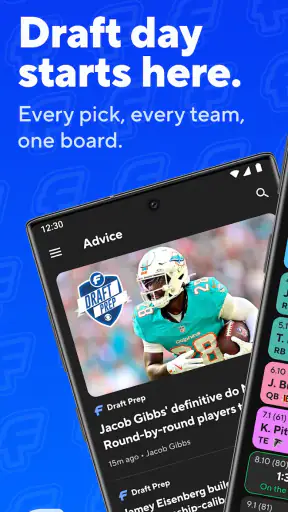
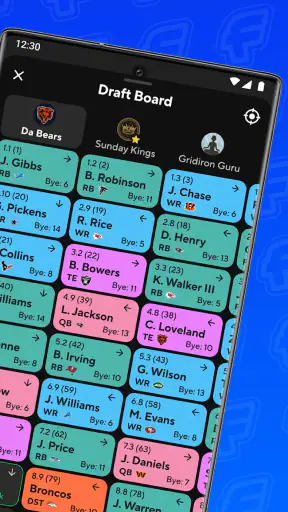
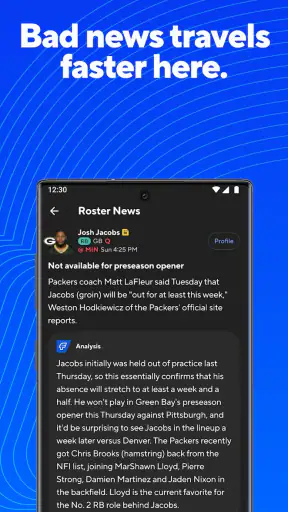
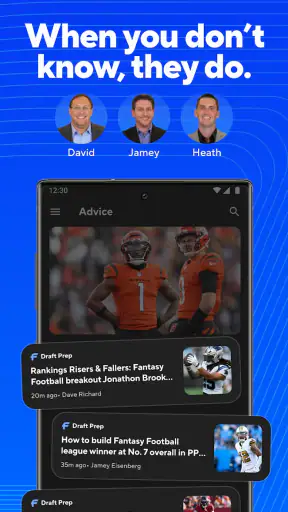
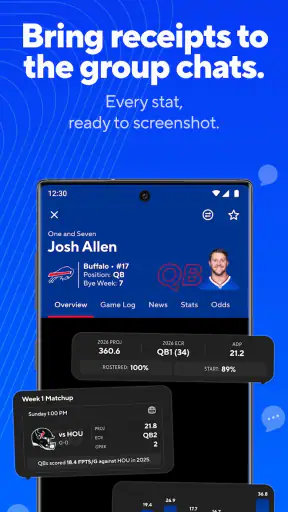
CBS Sports Fantasy is a mobile companion for managing fantasy sports teams, checking league activity, following player news, and making roster decisions. Depending on the fantasy sport and league format, you can review matchups, adjust lineups, monitor scores, evaluate projections, and communicate with other managers. The app is most useful for players who want quick access to their leagues without relying on a desktop browser.
Which fantasy sports and league types are supported by CBS Sports Fantasy?
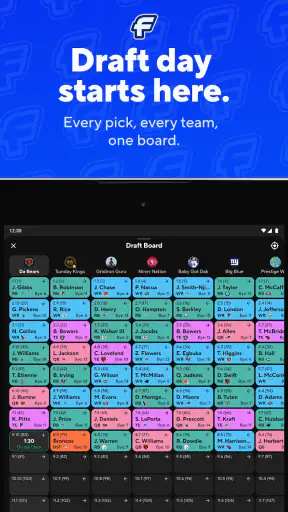
Support can vary by season and by the CBS Sports fantasy service you use, so it is worth checking the current app listing and league settings before downloading. CBS Sports has traditionally focused on popular formats such as fantasy football, baseball, basketball, and other major sports, with options that may include standard, points, rotisserie, head-to-head, private, and public leagues. Available features may differ between sports.
Is CBS Sports Fantasy free to download and use?
The app may be free to download, but not every CBS Sports Fantasy service or league is necessarily free. Some leagues, premium tools, contests, or subscription features can require payment, while access may also depend on the account or competition you join. Before entering a paid league or contest, review the displayed pricing, eligibility rules, renewal terms, and any applicable regional restrictions.
Can I manage my team and change my lineup from the mobile app?
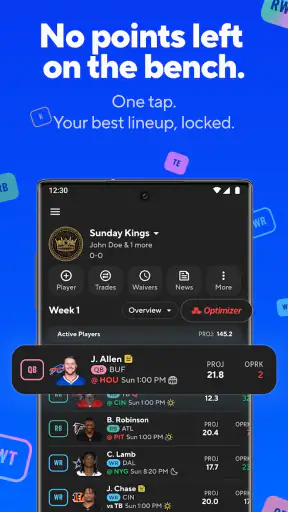
Yes, the app is designed to let managers handle many important tasks from a phone or tablet. You can generally view schedules and matchups, set or edit lineups, add or drop players when league rules allow it, review standings, and follow scoring updates. However, transaction deadlines, waiver processing, lineup-lock times, and commissioner settings still apply, so changes should be submitted before the relevant cutoff.
What account, device, and notification requirements should I know about?
You will normally need a CBS Sports account, or an approved sign-in method, to access leagues and synchronize your team across devices. A stable internet connection is recommended because scores, news, transactions, and lineup changes depend on current data. Notifications can help with injuries, game starts, roster alerts, and league activity, but they must be enabled in both the app and your device settings. Compatibility and features may vary by iOS or Android version.
Pros
- Wide selection of fantasy leagues
- including NFL
- NBA
- MLB
- NHL
- and soccer.
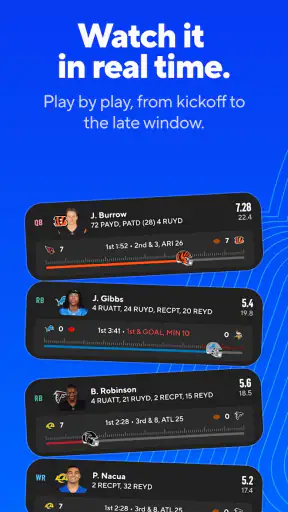
- Live scoring and player updates help you follow matchups as they unfold.
- Custom league tools offer flexibility for commissioners and private groups.
- Player news
- rankings
- and projections support more informed lineup decisions.
- CBS Sports integration provides convenient access to related sports coverage.
Cons
- Some advanced tools and content may require a paid subscription.
- The interface can feel crowded when managing several teams or leagues.
- Frequent alerts may become distracting unless notification settings are adjusted.
- Scoring and roster rules vary by league
- which can confuse new fantasy players.
- Performance and live updates may depend heavily on a stable internet connection.